Source Control
In Terminal, choose Git in the shared Agents / Files / Git navigator. The panel follows the selected local project's checkout or worktree. Its displayed path identifies the repository being reviewed.
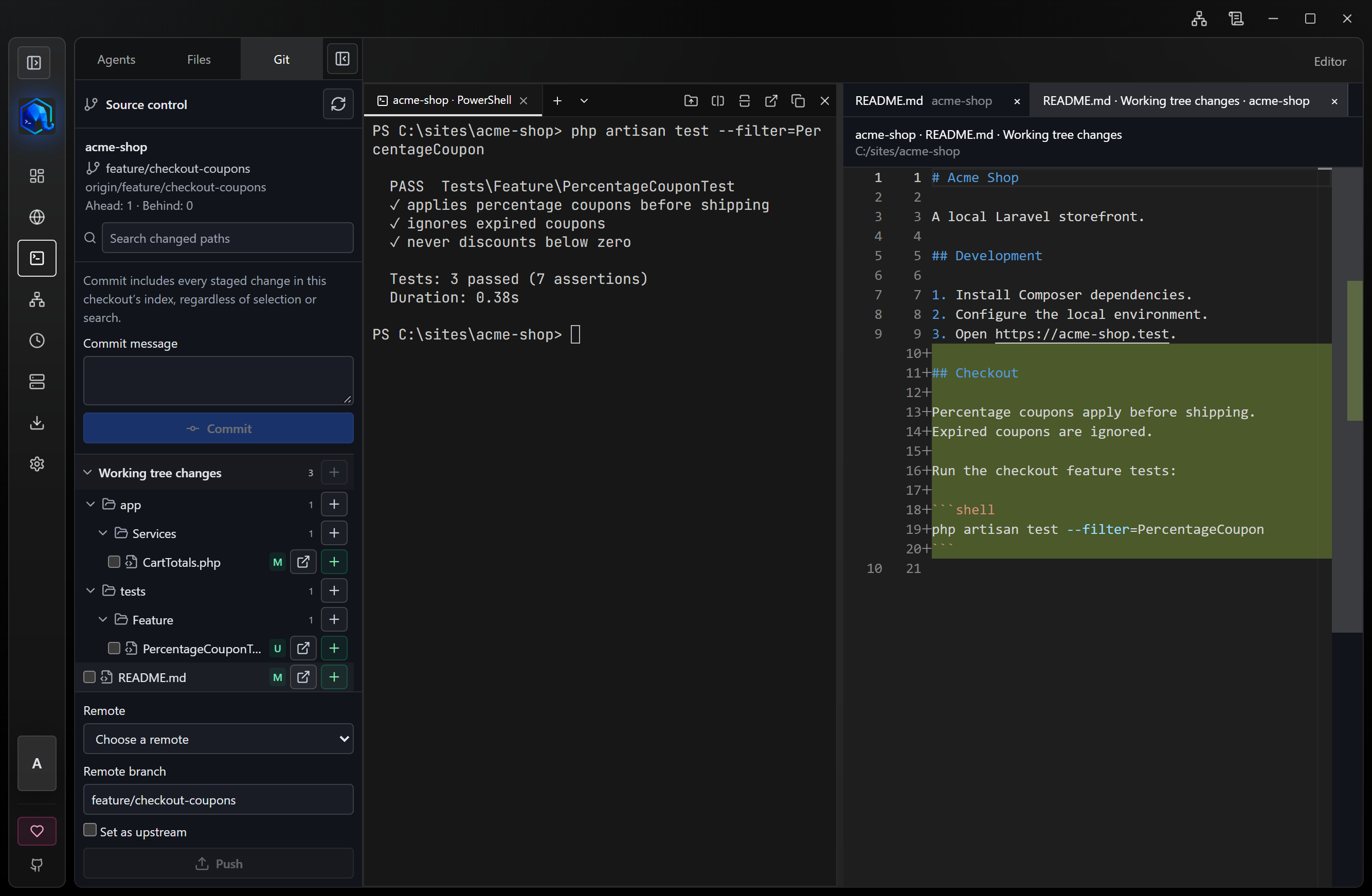
Review and stage
Staged changes and Working tree changes have separate folder trees, path search, and file selection. Open a file to review its read-only diff. A file changed in both layers appears in both: staged compares HEAD to the index; working tree compares the index to disk.
Stage or unstage whole files individually or as a visible selected group. Unstaging preserves disk contents. If the editor has unsaved changes, choose to save and stage, stage the disk version, or cancel. Saving first rechecks that the document has not changed again.
Binary files, unsupported text, oversized files, and submodule references show a summary instead of an empty diff.
Commit and push
Write a message and choose Commit. It includes all staged changes in the checkout's index; search filters and checkboxes do not limit the commit. Git hooks and signing settings are respected. A failed operation keeps its message and output.
Push is a separate action. Select a remote and destination branch; optionally set the upstream. LaraEnv does not push automatically after a commit or force-push. Authentication uses the system's Git configuration and credential helpers.
Running operations show progress, output, and cancellation. Switching terminals does not redirect an operation already started. Minimize to the tray to keep it running; quitting or applying an update is blocked while a Git operation is active.
Scope
This workflow covers local review, whole-file staging and unstaging, commit, and push. Pull, discard, stash, history, hunk staging, branch switching, init/clone, automatic conflict resolution, Git over SSH, and detached-window Git are outside this panel.
Agents sharing one checkout also share its working tree and index. Use an isolated worktree when you need separate Git changes.