Automatic PHP and Node Detection
Choose Automatic in a project's PHP or Node selector to use its declarations. LaraEnv reads the checkout used by the operation, including a selected worktree, and chooses a compatible installed runtime.
| Runtime | Priority, highest first |
|---|---|
| PHP | Manual project choice → .php-version → composer.json require.php → global PHP |
| Node | Manual project choice → .nvmrc → .node-version → package.json engines.node → global Node |
| Package manager | package.json packageManager → lockfile → npm |
Selecting Automatic removes the manual override. Detection does not rewrite the project's declarations.
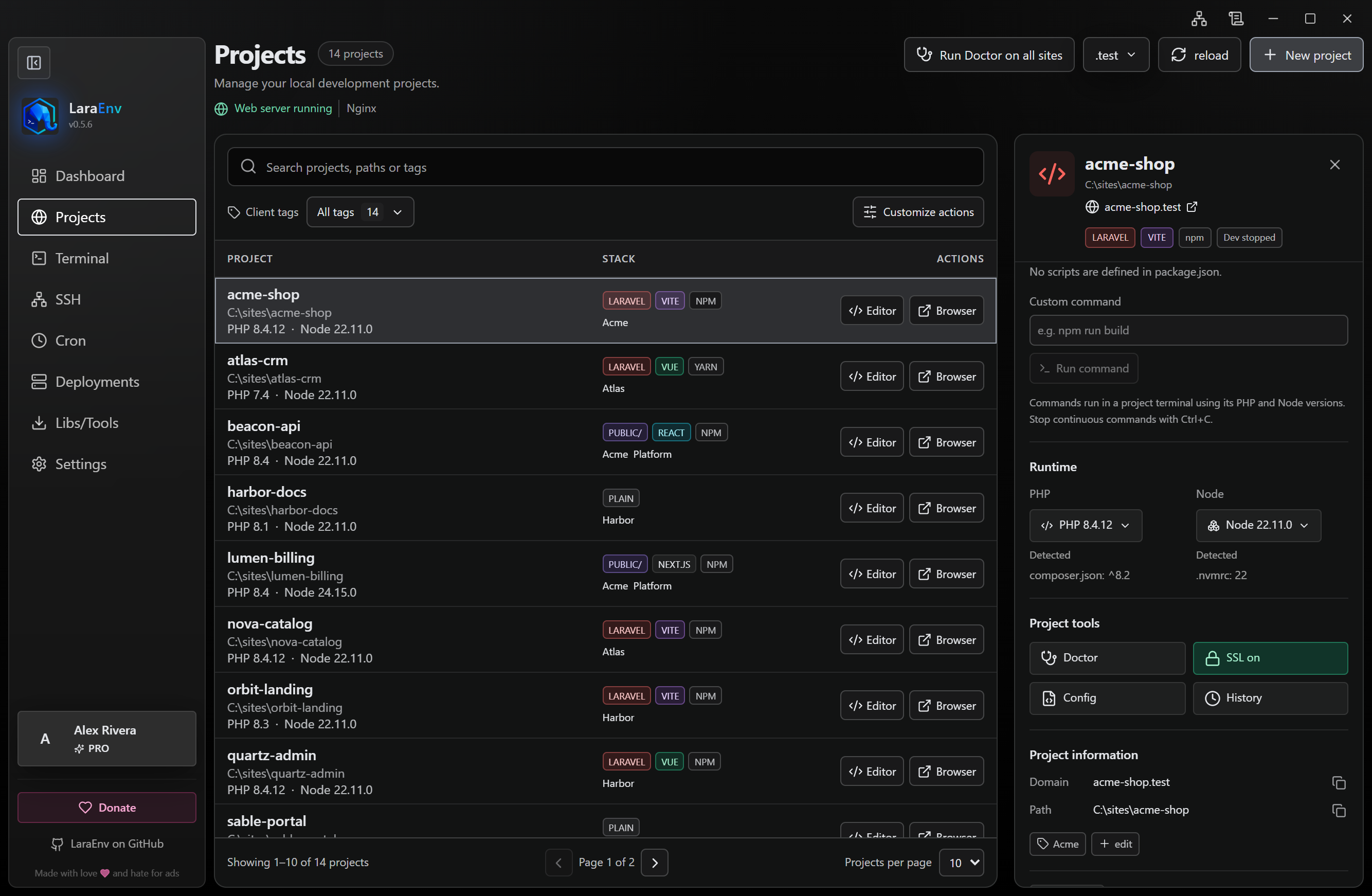
Requirements and missing versions
With a declared requirement, LaraEnv selects the highest compatible installed stable version using verified executable metadata. Partial version files such as 8.3 and v22 select that series. Composer and npm range semantics are evaluated separately; caret, tilde, comparisons, wildcards, AND, and OR are supported. Node version files also support node, stable, and lts/*.
An invalid declaration or missing compatible installation is shown with guidance. LaraEnv does not silently replace a declared requirement with the global version. Use Downloads to choose and install a suitable version; detection never installs it automatically.
A manual choice remains effective, with a warning when it conflicts with a requirement. With no declaration, the global managed runtime is used. If no global choice exists, the highest verified stable installation is selected. Existing system PATH behavior remains available only when there is no requirement and no managed installation.
Changes and running commands
LaraEnv refreshes detection after project creation, clones, and relevant manifest or version-file edits. New terminals, agents, Dev servers, queue workers, MCP commands, and cron jobs use the same resolution. An explicit cron PHP choice takes priority.
Existing terminals and background processes keep their runtime until you restart them. A serving checkout's PHP or document-root change updates its web configuration; a new PHP pool must start successfully before the running site is redirected. A missing or invalid requirement preserves the last serving configuration while the problem is reported.
PHP pools are shared per version, not per project. See PHP versions.