Site Doctor
Site Doctor checks a project's setup using its effective PHP and Node runtimes. In Projects, select a project and choose Doctor, or use Run Doctor on all sites in the page header.
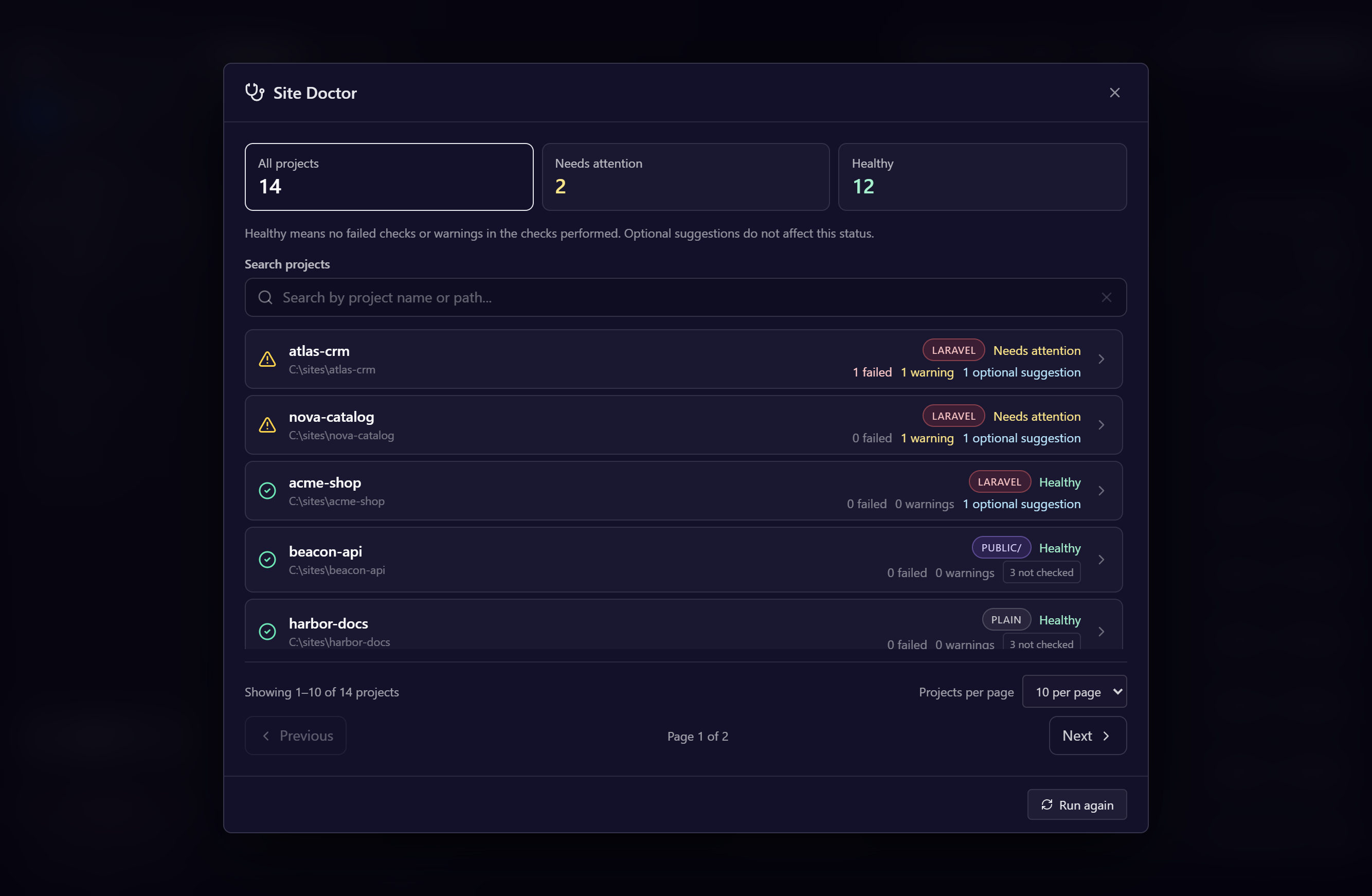
Review many projects
The overview summarizes projects that need attention and those with no confirmed problems. Filter by All projects, Needs attention, or Healthy; search by name or path; and choose 10, 20, or 50 projects per page. Projects requiring attention appear first.
Open one project to review its checks. Back to all projects preserves your search, filter, and page. Run again in a project's detail refreshes that project and the overview counts. Running the overview never repairs projects in bulk.
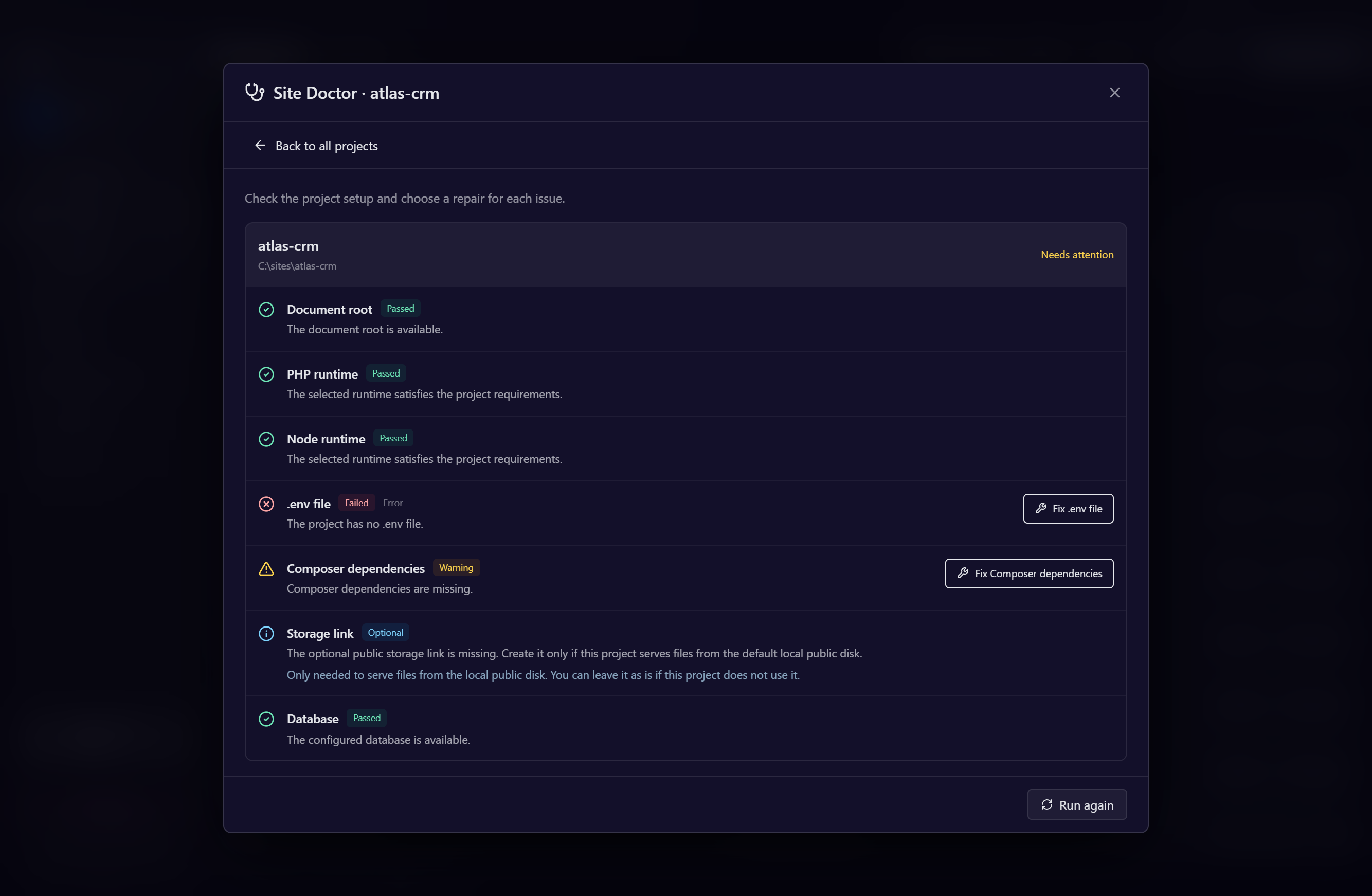
Understand the result
| Result | Meaning |
|---|---|
| Passed | The inspected check succeeded. |
| Failed / Warning | A confirmed problem needs attention. |
| Optional | A suggestion that does not reduce project health. |
| Skipped | The check does not apply, depends on another check, or could not be verified automatically. |
Healthy means no failures or warnings were found in the checks performed. It does not confirm skipped checks or prove every application route works. The overview also identifies paused projects and counts optional and skipped checks.
Manual review includes guidance when there is no automatic repair. A missing repair button does not make a confirmed problem disappear: a stopped database, failed authentication, or incompatible runtime can still require action. Inconclusive inspection is marked skipped rather than reported as a confirmed failure.
Checks and repairs
The Doctor checks the document root, PHP and Node compatibility, Composer and Node dependencies, Laravel .env and application key, optional public storage link, WordPress configuration, database connection, Laravel migrations, virtual hosts, Windows hosts entries, and PHP serving services.
Repairs appear only when their prerequisites are ready. They include installing dependencies, copying a missing .env.example, generating a missing application key, creating an optional storage link, creating a supported missing local database, running pending migrations, regenerating web configuration, updating hosts entries, and starting required stopped services.
Repairs run individually and show command output. After a repair finishes, the affected project is checked again. Runtime downloads require your click. Cancel repair requests interruption; actions already completed are not rolled back.
Running migrations requires a specific confirmation because it can change database structure and data. Replacing a customized virtual host also requires confirmation.
Public storage is optional
Laravel's public/storage link is useful when the app serves files from the default public disk at storage/app/public. Projects using external storage or no public uploads may not need it.
Missing storage links are optional suggestions. Valid symbolic links and Windows junctions to the default target pass. Existing directories, files, or links to another target are preserved; the Doctor never removes them to create a link. Review these only if your application needs the default public disk.
Database inspection limits
The Doctor preserves the project's configured credentials. Its automatic MySQL and PostgreSQL connection inspection is limited to recognized local settings using localhost, 127.0.0.1, or ::1 and standard ports 3306 or 5432. Creating a missing database also requires the configured user's permission. SQLite checks the configured file without offering automatic creation.
External databases, other valid ports, computed settings, and Laravel's cached configuration may prevent verification. The probe uses literal local settings and the effective PHP without loading the application. Unknown probe errors, unavailable probes, or invalid results are skipped; they do not enable database creation or migrations.
Recognized transport, authentication, missing-database, and extension problems still need attention. For example, start the local MySQL service if it is stopped, then run the diagnosis again. An invalid port is a configuration warning; valid ports range from 1 to 65535.