Your local stack.
Synced. Secured. Deployed.
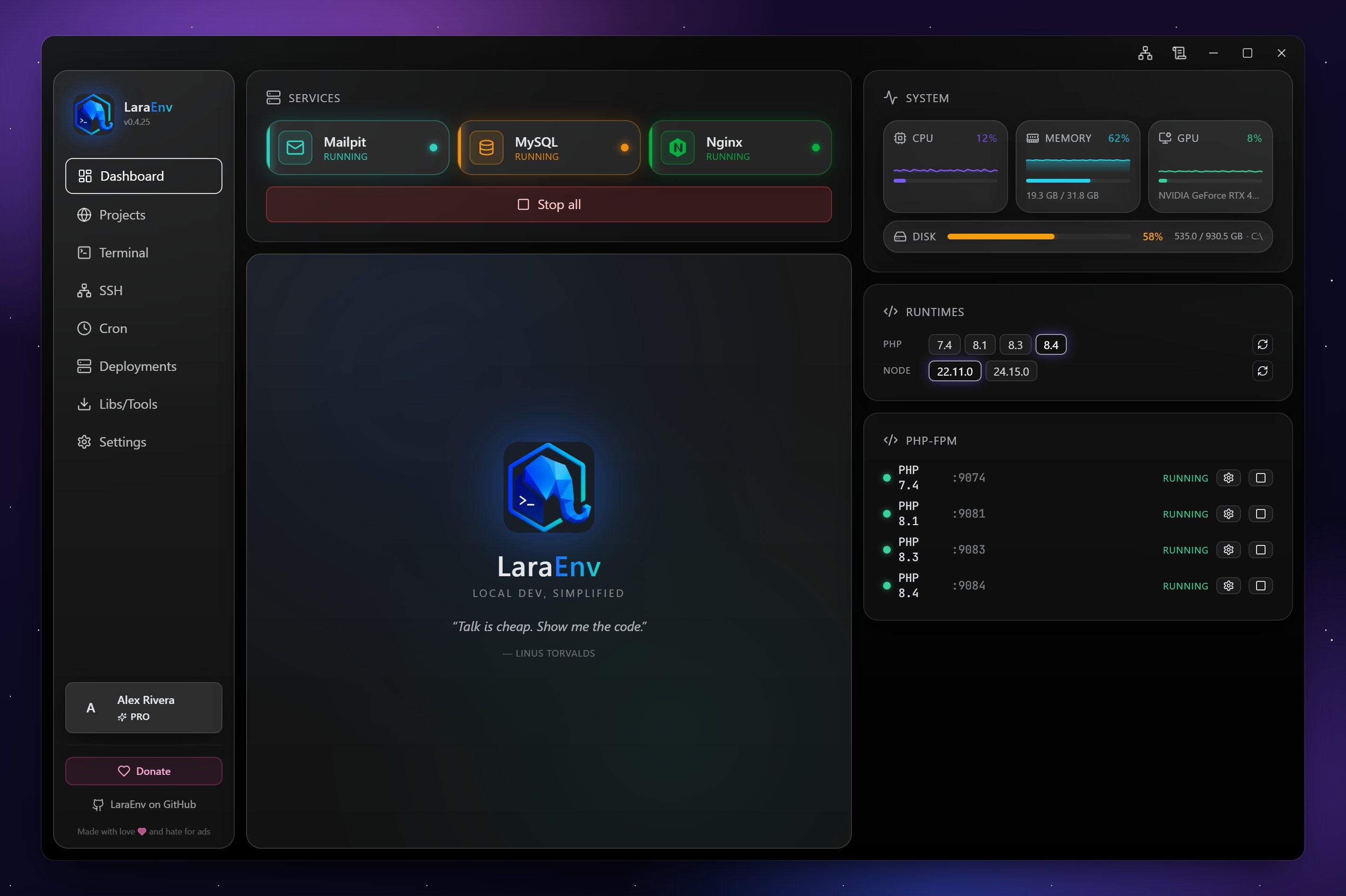
LaraEnv is a Windows desktop app — a modern alternative to Laragon, XAMPP, WAMP and MAMP — that runs multiple PHP versions side-by-side on the same machine. Plus Nginx, Apache, MySQL, PostgreSQL, Redis, Mailpit — and a built-in terminal, SSH manager, cron scheduler and one-click VPS deploys for Laravel and plain PHP. No Docker. No WSL.
Multiple PHP versions running at the same time.
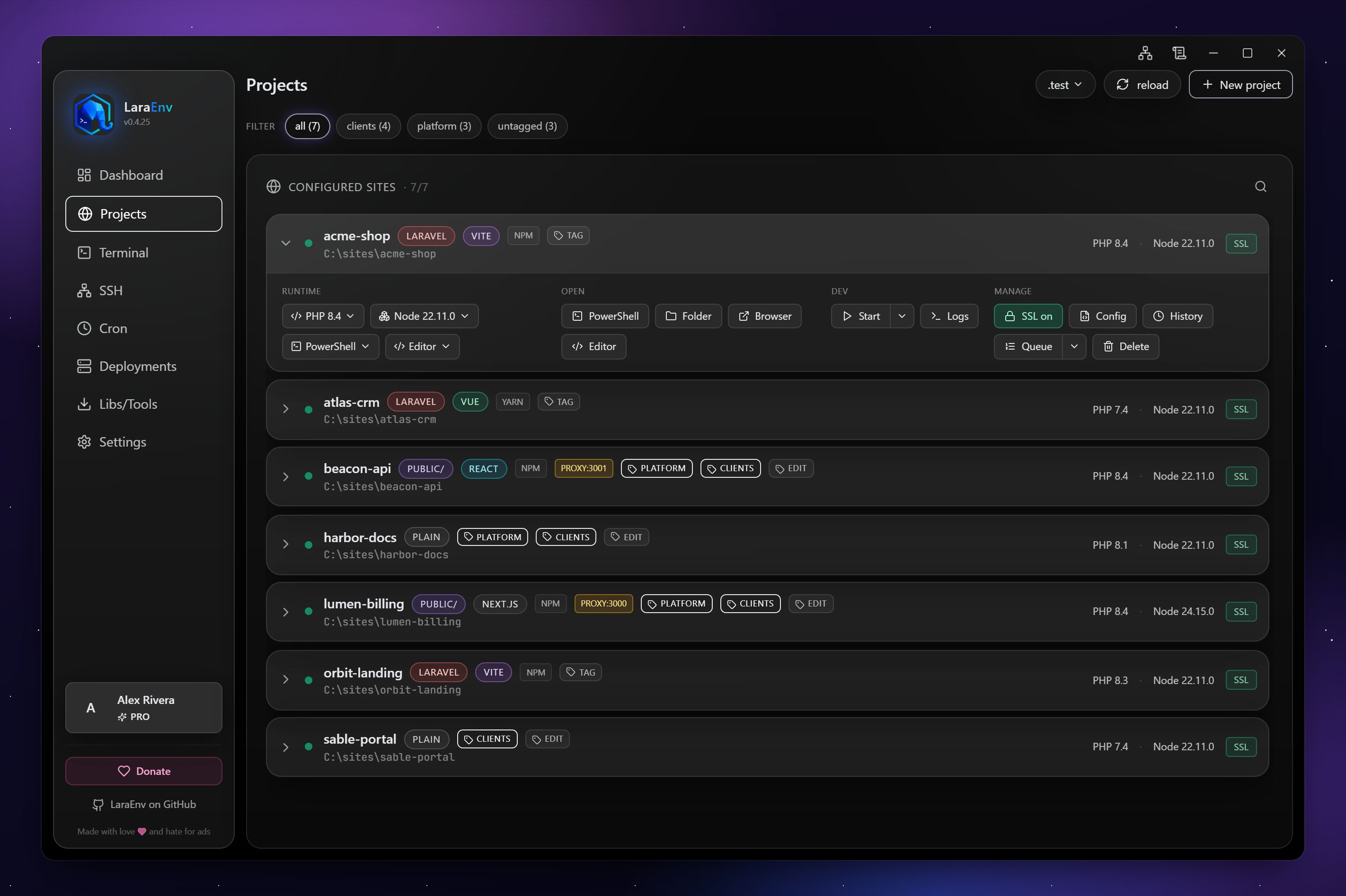
That legacy app and your shiny new service? Both running, both reachable, zero conflicts. Pick the PHP version per project with one click — vhost, hosts file and FastCGI pool are reconfigured automatically.
Everything you actually need
No yak-shaving. No 12 GB of containers. Just the tools, ready in one click.
Multi-PHP projects
- · PHP 7.4, 8.0, 8.1, 8.2, 8.3, 8.4 — all installable in parallel
- · Per-project version, switched in one click
- · Auto vhost + Windows hosts file
- · Laravel, Cinder, plain PHP scaffolds
Integrated terminal
- · Git Bash + PowerShell + cmd
- · Split panes & multi-tab
- · Opens at the project root
- · Per-project PATH (right PHP version on the prompt)
SSH hosts & keys
- · Saved hosts tagged prod / dev
- · Built-in SSH key generator (ed25519, RSA)
- · Custom ports, ProxyJump, identity files
- · One-click connect into the integrated terminal
Cron scheduler
- · Cron syntax on Windows — without WSL
- · Backed by Windows Task Scheduler
- · Per-project schedules
- · Enable / pause / view last run inline
One-click deploys
- · Detect & install: PHP, nginx, MySQL, Node
- · Configure vhosts + Let's Encrypt HTTPS
- · Auto-deploy on git push (cron-based)
- · Prod + dev + staging from the same panel
Dashboard & themes
- · Start / stop services from one screen
- · Live CPU, RAM, disk & runtime status
- · Six built-in themes: Nebula, Aurora, Sunset, Crimson, Oceanic, Midnight
- · Auto-updates · no telemetry
LaraEnv vs Laragon, XAMPP, WAMP & Laravel Herd
All five solve "run PHP on Windows", but only one is built for the way modern Laravel teams actually ship. Here's how LaraEnv compares to the classics.
| Feature | LaraEnv | Laragon | XAMPP | WAMP | Laravel Herd |
|---|---|---|---|---|---|
| Native Windows support | ✓ | ✓ | ✓ | ✓ | Beta |
| Multiple PHP versions running simultaneously | ✓ | Switch one at a time | Switch one at a time | Switch one at a time | ✓ |
| Modern GUI dashboard with live metrics | ✓ | Tray menu | Control panel | Tray menu | ✓ |
| Built-in SSH manager & key generator | ✓ | — | — | — | — |
| Cron scheduler (no WSL) | ✓ | — | — | — | — |
| One-click VPS deploy with Let's Encrypt | ✓ Pro | — | — | — | — |
| End-to-end encrypted cloud sync | ✓ Pro | — | — | — | — |
| Price | Free · $3/mo Pro | Free | Free | Free | Free · paid Pro |
Comparison reflects publicly documented features at the time of writing. Laragon, XAMPP, WAMP and Laravel Herd are trademarks of their respective owners.
Frequently asked questions
Is LaraEnv a free Laragon alternative for Windows? ⌄
Yes. LaraEnv is free for local development on Windows and gives you everything Laragon does — Nginx, Apache, MySQL, PHP, Redis, Mailpit — plus things Laragon doesn't, like a proper SSH manager, a Windows-native cron scheduler and per-project PHP versions running in parallel. The optional $3/mo Pro plan adds end-to-end encrypted cloud sync and one-click VPS deploys.
Can I run PHP 7.4 and PHP 8.4 at the same time on Windows? ⌄
Yes — that's the headline feature. Install PHP 7.4, 8.0, 8.1, 8.2, 8.3 and 8.4 in parallel and pick the version per project. LaraEnv reconfigures the FastCGI pool, vhost and Windows hosts file automatically when you switch. Both legacy and modern apps stay reachable simultaneously.
Do I need Docker or WSL? ⌄
No. LaraEnv ships native Windows binaries for Nginx, Apache, MySQL, PostgreSQL, PHP, Redis and Mailpit. There is no Docker, no WSL, no VM and no 12 GB image to pull. Services start in seconds and use a fraction of the RAM a containerized stack would need.
How does LaraEnv compare to XAMPP, WAMP and MAMP? ⌄
XAMPP, WAMP and MAMP bundle Apache + MySQL + PHP and stop there — you still manage vhosts, hosts files, PHP switching and cron jobs by hand. LaraEnv automates all of that, adds a modern dashboard, an integrated terminal, an SSH manager, a cron scheduler and one-click VPS deployment. It's designed for Laravel and modern PHP workflows rather than the LAMP stack of 2008.
Is there a Laravel Herd alternative for Windows? ⌄
LaraEnv is the closest equivalent built natively for Windows. It covers the same multi-PHP + Nginx + MySQL + Redis use case and goes further with built-in SSH, cron, deployments and end-to-end encrypted cloud sync. If you came from Herd on macOS and need a Windows machine, LaraEnv is the most direct migration path.
Is the cloud sync really end-to-end encrypted? ⌄
Yes. SSH hosts, SSH keys, crons and themes are encrypted on your device with AES-256-GCM before being sent. The key is derived from your passphrase via Argon2id and never leaves your machine — our server only ever stores ciphertext. A leaked database backup, a subpoena or a malicious admin cannot decrypt your data. The trade-off: forget the passphrase, lose the synced data.
Does LaraEnv work without internet? ⌄
Fully. Local development, multi-PHP, terminal, SSH, cron and dashboard all run offline. Internet is only needed for installing service binaries the first time, checking for updates, and the optional Pro features (cloud sync and remote deploys).
What's the difference between Free and Pro? ⌄
Free covers everything you need locally: multi-PHP, services, terminal, SSH manager and cron. Pro ($3/mo) adds end-to-end encrypted cloud sync of your config across machines, plus Mini-Forge — one-click VPS provisioning, Let's Encrypt HTTPS and auto-deploy on git push.
Free → Pro in two clicks
Pro syncs your SSH hosts, SSH keys, crons and themes across every machine you install LaraEnv on — encrypted client-side with AES-256 derived from your passphrase via Argon2id. Our server only ever stores ciphertext.